
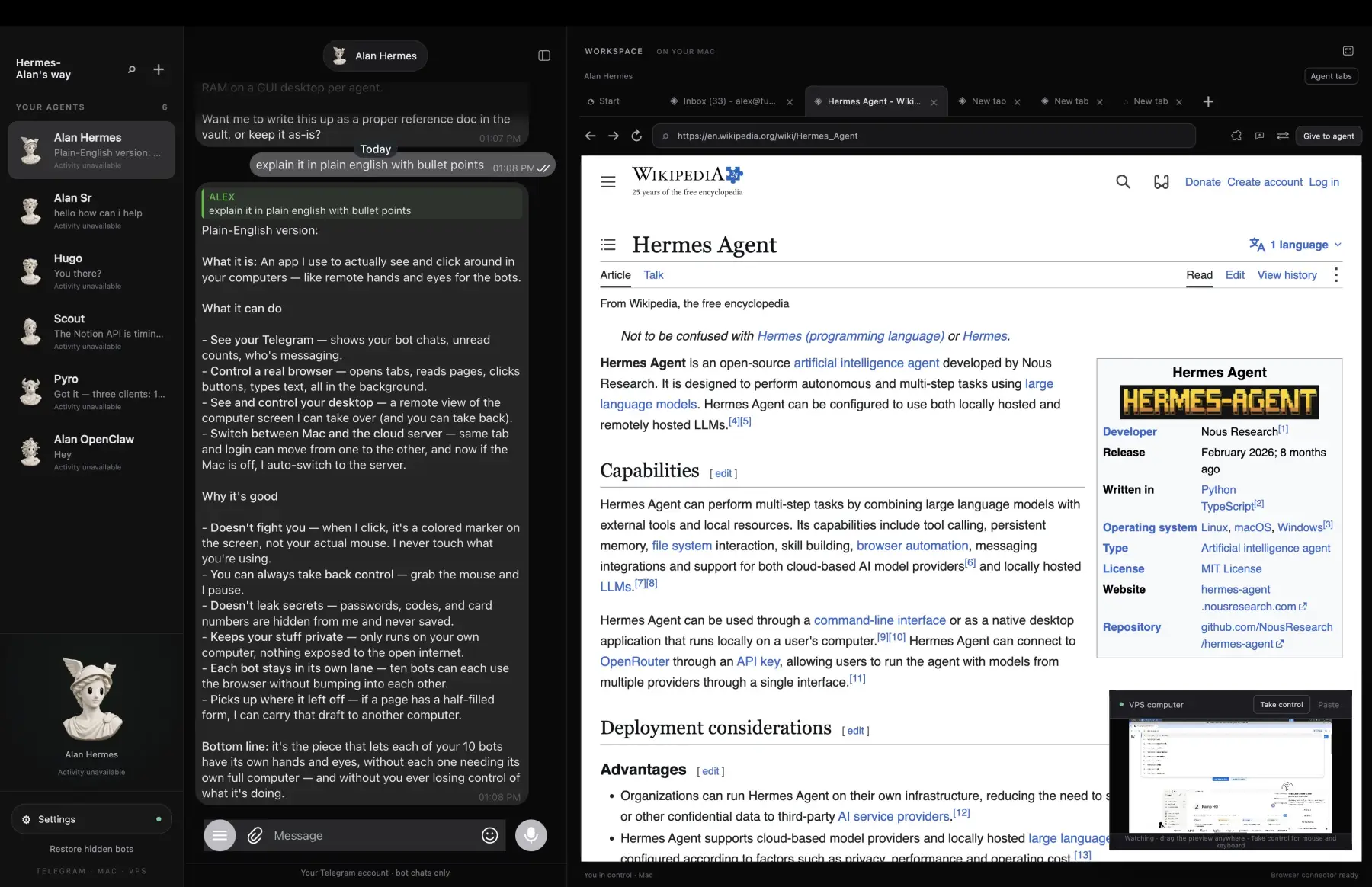
- 1Your botsEvery Hermes profile, one rail. Each gets its own lane.
- 2Telegram, built inThe same chats you have on your phone.
- 3Agent browser on your MacReal tabs, a named cursor, give to agent or take back.
- 4The VPS computerWatch its desktop live. Take control with real mouse and keys.
WHAT IT DOES
A companion layer for the Hermes you already run. One home for the bots, many workplaces. Install it, use it, remove it. Hermes stays stock.
Telegram is the gateway
Message your bots from any device. The most consistent front door for Hermes, with bot feedback and signals built in.
One home, many workplaces
Bots live on your VM and work on your Mac or PC while it's awake. Close the laptop and new browser work falls back to the VM.
An agent browser you can watch
Real Chromium tabs with a named, colored cursor per bot. Take over and its queued actions are cancelled. Scrape from your own IP, not a flagged data center.
Computer use, approved by you
Your cloud agent can click and type on your Mac, like sending an iMessage while you're away. Desktop actions need your approval on Telegram first. You choose what to always allow.
Proactive, on your terms
After a quiet stretch your lead bot checks in with something useful. Ignore it and the wait doubles. Only during waking hours. Tune it by just telling it, or /proactivity more.
Stock Hermes, no fork
Plugins, skills and hooks only. Upgrade Hermes freely. Bring the agent you already have, memory and all.
The boundary is the feature. Each bot drives only its own tabs. Take a tab back and the bot can't read it anymore. Logins wait for you, and password fields never leave your computer. SSH with pinned host keys over your Tailscale network. You can always see, stop and take back what the agent is doing.
IN THE WILD
Real runs, posted as they happened. Follow along on X for the next ones.
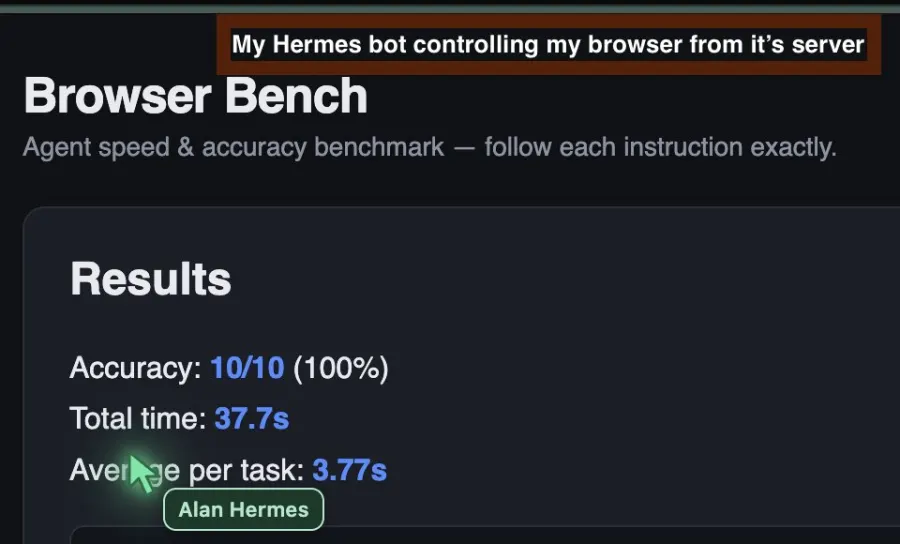

My Hermes runs on a server a 10 hour flight away, using Sonnet via my Claude Max sub, and it's closing in on Grokbot running on its own computer.
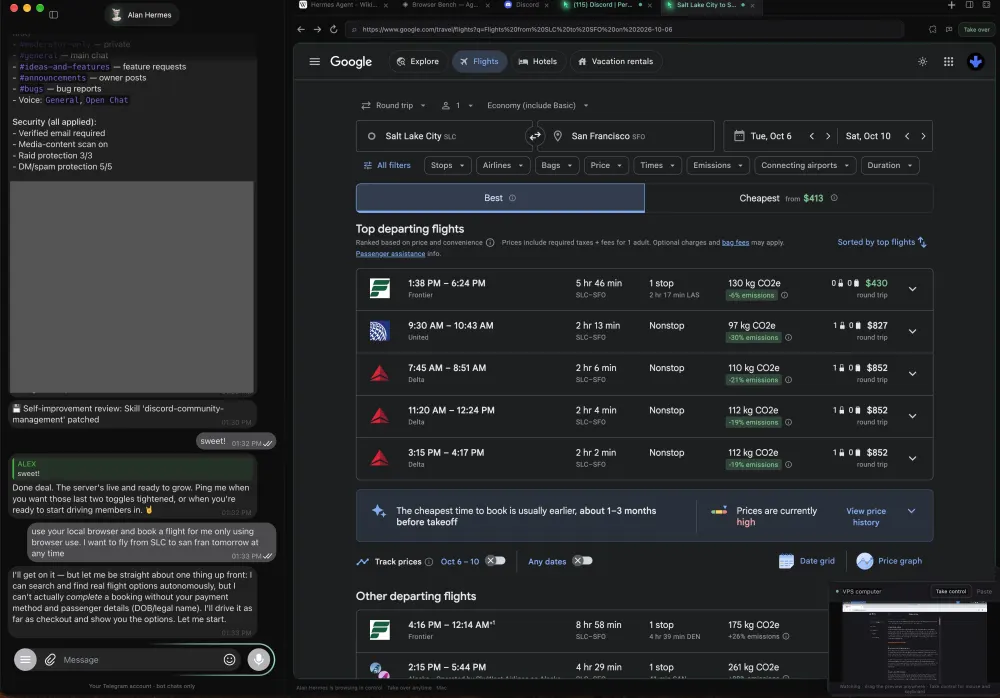
Hermes Alan's Way can also book flights right where you can see it. Take over at any time.
VIEW ON X ↗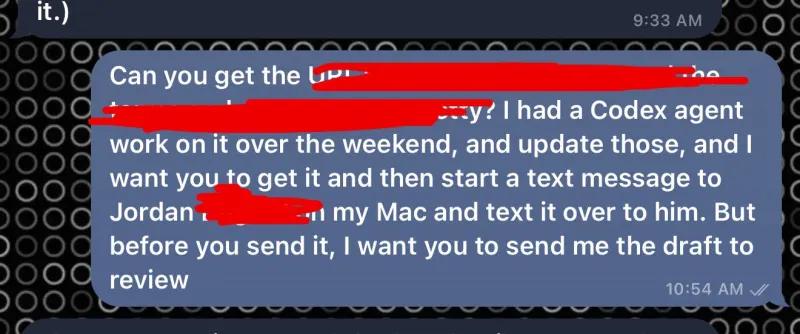
I was away from my desk and needed something on my MacBook texted to a partner. Alan, a cloud agent, used computer use to find it and send an iMessage. No other plugins required.
VIEW ON X ↗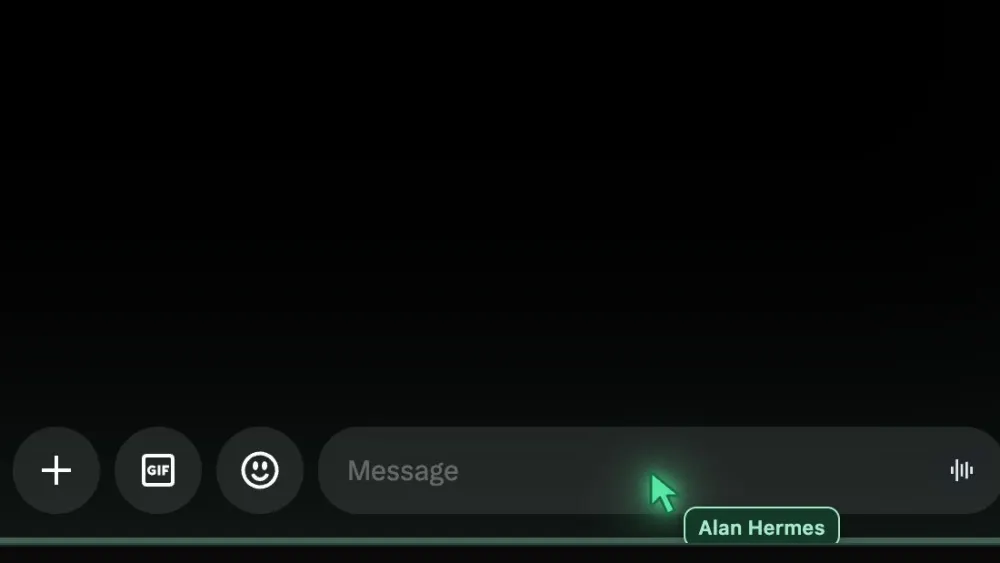
Give Hermes computer use and it'll do stuff like send and respond to DMs for you on X. This is Alan's Way!
VIEW ON X ↗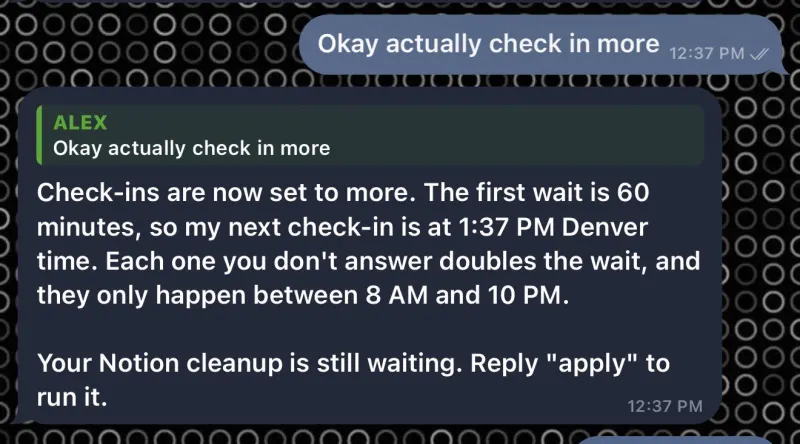
Advantage of building your own Grokbot on open-source Hermes: you can customize how often it checks in. This is Alan's Way!
VIEW ON X ↗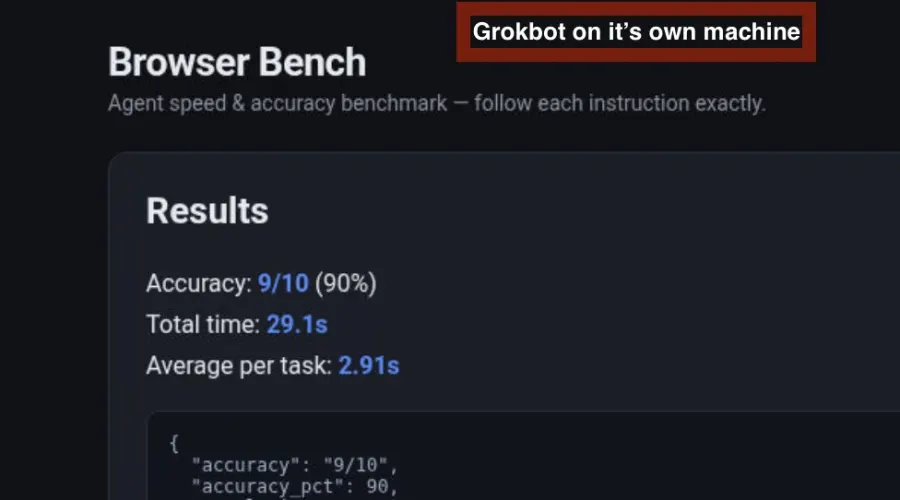
The bar to beat: Grokbot on its own cloud computer. We're not stopping here.
VIEW ON X ↗Things my bots did this week with the built-in browser:
· scrape Facebook & Instagram (shhh)
· build workflows in HighLevel
· tons of QA testing for web apps
· financial reports from data that isn't API available
· visually review dashboards for my portfolio companies
Local agent browser use is amazing.
HOW IT WORKS
Your agent sets most of it up. You make the few clicks only a human can.
┌────────────────┐        ┌──────────────────────┐        ┌──────────────────────┐
│ TELEGRAM       │  ────> │ CLOUD COMPUTER       │  ────> │ YOUR MAC OR PC       │
│ any device     │  <──── │ Hermes + Alan's Way  │   SSH  │ OpenAlan app         │
│ one convo      │        │ memory · 24/7 work   │  <──── │ agent browser tabs   │
└────────────────┘        └───────────┬──────────┘        └──────────────────────┘
                                      │
                                      └─ laptop closed? work routes home to the VM
You need: an Apple Silicon Mac or a Windows 10/11 PC, a Linux VPS or cloud computer running Hermes 0.21.5+ with its Telegram gateway (computer use needs a newer Hermes build from main), and Tailscale on both so they can reach each other privately. No VPS yet? See hosting below.
Download the app. Mac or Windows, one click. It updates itself from then on.
Connect Telegram. Sign in inside the app. Your Hermes Telegram gateway should already be running.
Give your bot the prompt. The wizard hands it to you. Your bot installs the plugin, browser and computer use on its own machine.
Get to work. Message your bot and watch its cursor show up in your app.
Set up Alan's Way. Fetch https://openalan.com/agent-prompt and follow the text block in it exactly. Do not modify Hermes. Never print secrets.
Set up Alan's Way for me by following https://openalan.com/setup
curl -fsSL https://openalan.com/install-mac | sh
powershell -ExecutionPolicy Bypass -c "irm https://openalan.com/install-windows | iex"
UPDATING THE APPWhen an update is out the app shows Update available. Click Update now and it updates the app and the Alan's Way tools on your agent's VM together. If the VM can't be reached, the app still updates and gives you a Retry button.
UPDATING THE PLUGINSThe app's update covers them. To do it by hand, tell your bot: Update Alan's Way. Fetch https://openalan.com/agent-update and follow it.
THE FIELD
| Feature | ALAN'S WAY | GROKBOT | MUSE | HERMES (STOCK) |
|---|---|---|---|---|
| Free, open source, self-hosted | Yes | No | No | Yes |
| Runs on your own VM, your model | Yes | No | No | Yes |
| Message it from any device | Yes | Partial | Partial | Partial |
| One home, many workplaces | Yes | Yes | No | No |
| Agent browser on your desktop, from your IP | Yes | Partial | No | Partial |
| Watch & control the cloud desktop | Yes | Partial | No | Partial |
| Approval-gated computer use | Yes | Partial | No | No |
| Idle check-ins (waking hours, backoff) | Yes | Partial | Partial | No |
| Skills · hooks · MCP extensibility | Yes | Partial | No | Yes |
| Browser Bench, 10 tasks | 10/103.77s / task | 9/102.91s / task | No | No |
"Grokbot, Dot, Muse, or Instinct can never beat this."
THE LAUNCH POST ↗
PRICING
The whole thing is free. If you'd rather not run it yourself, get it hosted and set up for you.
Do it yourself
Everything, open source. You run it, you own it.
- Mac and Windows app that updates itself
- Hermes plugin, agent browser and approval-gated computer use
- Your VPS, your Tailscale, your model key
- Bring your existing Hermes agent over
- Community help on Discord
Need a 24/7 home for your agent? Alan lives on Orgo. Get 25% off your first 3 months ↗
Hosted for you
Your own cloud computer running Hermes Alan's Way, set up for you, with me on call.
- Your own Orgo cloud computer with up to 8GB RAM
- Seamless automated setup of Hermes Alan's Way
- 1:1 support when something breaks or you want more
- 2,000+ fast browser and scraping tasks a month
- 250 voice minutes for Telegram voice notes, plus a live call button inside Telegram (coming)
- Bring your existing agent over, or start fresh
- You bring your own model key or subscription
The open-source version stays free either way.
Just ship it.
This is Alan's Way.
Star the repo so you can find it again. The roadmap lives in the GitHub project, and the fastest updates land on X first.